


Table Of Contents
Support tickets like “this customer got charged again after they cancelled, why?” used to eat an hour of an engineer’s day. You’d open the admin portal, read the order, dig through the audit log, cross-reference a background job, maybe check an external API, and finally write up what happened.
So we built a feature that does the first 80% of that automatically. A staff member types the order details and a description of the problem, and a few minutes later they get a structured root-cause analysis: an executive summary, the technical details with citations to specific audit events and file:line references in our codebase, a timeline, and an explicit list of what the AI couldn’t verify.
The key insight that makes this work isn’t the LLM. It’s that we already had a rich, structured audit trail of everything that ever happened to an order, and we paired it with an agent that can read our actual source code. The audit log says what happened; the code explains why. Give a capable model both and it can reason about production incidents the way an engineer does.
Concretely, for each order we gather four kinds of context and hand all of it over in one shot:
- the order itself as a structured JSON object - the real document with all its fields, not a flattened log line;
- the related documents it references;
- the complete audit log for that order, in chronological order;
- and any other useful state, such as the order’s status in a partner system we don’t own, fetched live at investigation time.
The thing on the receiving end is a Cursor Cloud Agent, and it’s not working blind. It has our source code cloned, our coding rules loaded (the same rules our team and our editor follow), and a set of MCP services connected for looking things up. Critically, the entire run is read-only: it can read all of that and produce an analysis, but it cannot edit code, open a pull request, or push a branch.
This post walks through the whole design in enough detail that you could build your own. The stack here is ASP.NET Core, RavenDB, Hangfire, and the Cursor Cloud Agents API, but the architecture translates to any stack with an audit trail and a code-aware agent.
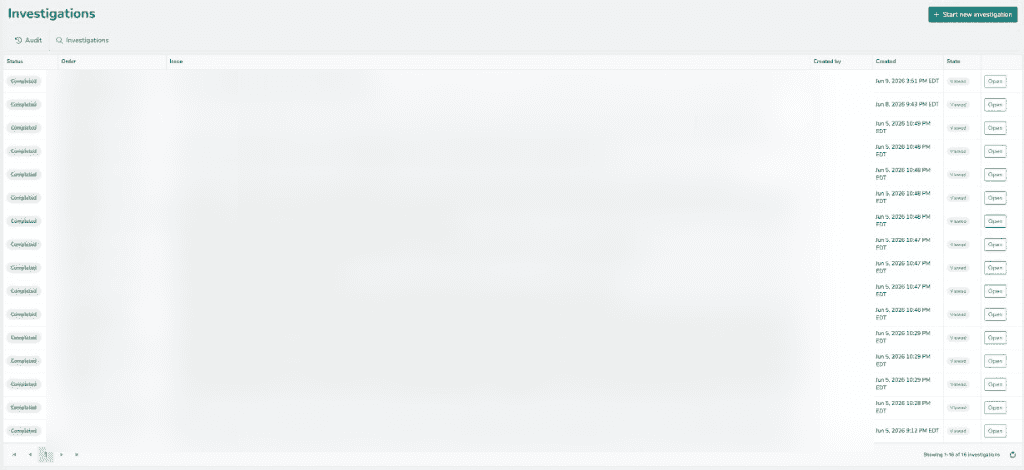
*The Investigations list: every run with its status and when it was opened. All timestamps render in a single business timezone. (Customer and issue columns blurred.)*
The architecture at a glance
There are six moving parts:
- An audit trail - every meaningful state change on an order is recorded as a structured event in a separate database.
- A deterministic order lookup - turn whatever the user typed (order id, email, or “product name + last 4”) into a concrete order, with disambiguation when there are multiple matches.
- A context builder - assemble the order JSON, the related documents, the full chronological audit log, and any useful partner-system state into one payload, with PII and payment data redacted.
- A code-aware agent - hand that payload plus a carefully engineered prompt to a Cursor Cloud Agent that has the GitHub repo, our coding rules, and read-only MCP services available, and have it produce the analysis.
- An async job + polling - agent runs take minutes, so a Hangfire job creates the run and polls until it’s done, persisting progress along the way.
- A results UI - render the markdown the agent returns (code highlighting, Mermaid diagrams), and let staff ask follow-up questions against the same run.
Here’s the request flow end to end:
Let me take each part in turn.
The foundation: a structured audit trail
None of this works without good audit data. If your “audit log” is unstructured text lines in a file, an LLM can still read them, but the quality of the analysis tracks the quality of the data. The more structured and complete your trail, the better.
We use Audit.NET with a RavenDB data provider. Audits live in their own database, completely separate from the operational data, so writing audits never competes with serving the app and the audit store can have its own retention and access rules.
The configuration is set up once at startup:
Audit.Core.Configuration.Setup()
    .JsonNewtonsoftAdapter(new JsonSerializerSettings
    {
        NullValueHandling = NullValueHandling.Ignore
    })
    .UseRavenDB(config => config
        .WithSettings(settings => settings
            .Urls(auditUrls)
            .Database(ev => auditDatabaseName)
            .Certificate(auditCert)));

// Enrich every event right before it's saved.
Audit.Core.Configuration.AddCustomAction(ActionType.OnEventSaving, scope =>
{
    var auditEvent = scope.Event;

    // Store a compact diff of the entity instead of full before/after blobs.
    if (auditEvent.Target != null)
    {
        var diff = ObjectDiffPatch.GenerateDiff(auditEvent.Target.Old, auditEvent.Target.New);
        auditEvent.Target.Old = diff.OldValues;
        auditEvent.Target.New = diff.NewValues;
    }

    scope.SetCustomField("StoreName", currentStoreName);
});
Two things to notice that pay off later:
- The target diff: instead of storing the entire entity before and after, we store only the fields that changed. This keeps events small (important when you’re feeding hundreds of them to an LLM) and makes “what actually changed” obvious.
- Enrichment on save: contextual fields like the store/tenant and the acting user get attached to every event without each call site having to remember.
Writing an event
At the call sites, an audit is just a scope. Here’s a simplified version of how we wrap an external API call so the request and response are captured:
private static async Task AuditStepAsync(
    string eventType, string orderId, string email,
    string endpoint, string requestPayload,
    int statusCode, string responsePayload)
{
    using var audit = await AuditScope.CreateAsync(
        eventType, () => new { OrderId = orderId, Email = email });

    audit.SetCustomField("OrderId", orderId);
    audit.SetCustomField("Endpoint", endpoint);
    audit.SetCustomField("RequestPayload", requestPayload);
    audit.SetCustomField("ResponseStatusCode", statusCode);
    audit.SetCustomField("ResponsePayload", responsePayload);
}
The eventType is a stable, namespaced string - Order:PlaceOrder, Payment:Charge, Payment:AssignPaymentMethod. This naming convention turns out to be one of the most valuable things you can do, because those names become the vocabulary the AI uses to reason. When the agent says ”Payment:AssignPaymentMethod only fires inside the stored-card branch”, it’s reading those exact event names and correlating them with the code that emits them.
Every event ends up with:
EventType- the namespaced action nameStartDate/EndDate- timing (stored UTC)OrderId- the correlation key we query byUsername/UserId- who did it (empty for system/background jobs)Target- the changed-field diff for the entity- Custom fields -
StoreName, endpoint, request/response payloads, free-text comments
Querying the trail for one order
Because every event carries an OrderId, retrieving an order’s complete history in chronological order is one query:
public async Task<IList<OrderAuditEvent>> GetAllOrderAuditEventsAsync(
    string orderId, CancellationToken ct = default)
{
    using var session = _auditStore.OpenAsyncSession();
    var query = session.Advanced
        .AsyncRawQuery<OrderAuditEvent>(
            "from \"AuditEvents\" where OrderId=$orderId order by StartDate")
        .AddParameter("orderId", orderId);
    return await query.ToListAsync(ct);
}
That ordered list - “everything that happened to this order, oldest first” - is the spine of the whole feature.
Turning user input into a concrete order
Staff don’t know document ids. They know an email, or an order number, or the shorthand we use internally: the product’s name plus the last four digits of its serial number (stored on the order’s description). So the first job is to deterministically figure out what they typed.
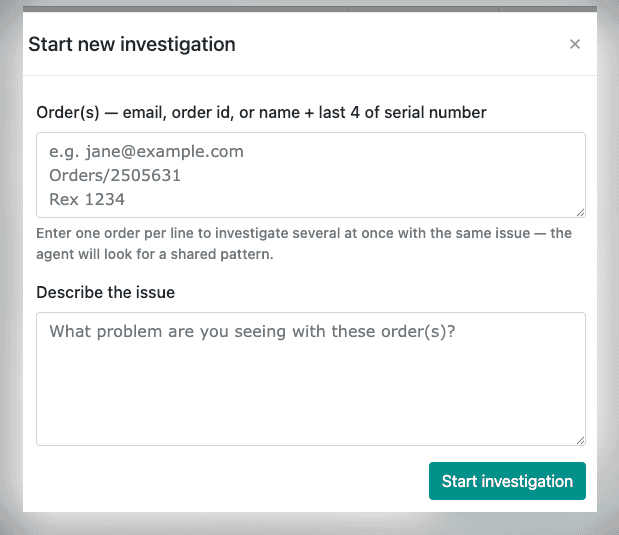
*Starting an investigation: paste one order per line - email, order id, or name + last 4 of the serial number - and describe the issue.*
I want to stress deterministic. An early version asked the LLM to extract the lookup field. That’s slower, costs tokens, and is non-deterministic for something that’s really just pattern matching. A few regexes do it perfectly:
public static OrderLookupType DetectLookupType(string input)
{
    var value = (input ?? string.Empty).Trim();

    if (value.Contains('@'))
        return OrderLookupType.Email;

    if (value.StartsWith("Orders/", StringComparison.OrdinalIgnoreCase)
        || AllDigits.IsMatch(value))
        return OrderLookupType.OrderId;

    return OrderLookupType.Description;
}
Then we resolve it against the database, filtering out noise that would only confuse the analysis - deleted orders and unapproved offers:
// Active = not deleted AND (not an offer OR the offer was approved).
private static IAsyncDocumentQuery<Order> ActiveOrders(IAsyncDocumentQuery<Order> query) =>
    query
        .WhereEquals(nameof(Order.Deleted), false)
        .OpenSubclause()
            .WhereEquals(nameof(Order.Offer), false)
            .OrElse()
            .WhereEquals(nameof(Order.OfferApproved), true)
        .CloseSubclause();
An email can match several orders. Rather than guess, we return all candidates and let the UI ask which one - showing first name, last name, product name + last 4, and order date so the choice is obvious. The controller surfaces this as an HTTP 409 Conflict with the candidate list, which the front end renders as a picker.
Building the context (and redacting it)
Once we have the order, we assemble the payload for the agent: the order document, the related documents (the product on the order, for example), and the full audit log. Before any of it leaves our boundary, sensitive fields are stripped.
Redaction is a recursive walk over the JSON tree that blanks out a known set of property names regardless of where they appear:
private static readonly HashSet<string> RedactedProperties = new(StringComparer.OrdinalIgnoreCase)
{
    // Things a real system legitimately stores, but that should never reach an LLM.
    "Transactions",        // serialized payment-gateway transaction blobs
    "PaymentProfileId",    // tokenized gateway customer / payment-profile refs
    "CustomerProfileId",
    "PaymentToken",
    "AuthorizationCode",
    "ApiKey",              // any third-party credentials on the entity
    "AccessToken",
    "RefreshToken",
    "PasswordHash",
    "Secret",
};

public static JsonNode Redact(JsonNode node)
{
    switch (node)
    {
        case JsonObject obj:
            var result = new JsonObject();
            foreach (var kvp in obj)
                result[kvp.Key] = RedactedProperties.Contains(kvp.Key)
                    ? "[REDACTED]"
                    : Redact(kvp.Value);
            return result;

        case JsonArray arr:
            var copy = new JsonArray();
            foreach (var item in arr)
                copy.Add(Redact(item));
            return copy;

        default:
            return node?.DeepClone();
    }
}
A deny-list like this is a deliberate trade-off: it’s simple and it fails open (a field you forgot to name leaks). For anything truly sensitive I’d recommend pairing it with an allow-list on the most sensitive documents, or modeling secrets so they’re never on the entity you serialize in the first place. We also redact at the source: third-party payment payloads can carry a raw card number in transit, so we mask those before the audit event is ever written - the values you’d never persist never land in the store either.
The final payload looks like this:
{
  "order": { "Id": "Orders/2505631", "EmailAddress": "...", "Transactions": "[REDACTED]" },
  "product": { "Id": "Products/540421", "Name": "Acme Widget" },
  "auditEvents": [
    { "EventType": "Order:PlaceOrder", "StartDate": "...", "Username": "..." }
  ]
}
The agent: read-only by construction
This is the part people get nervous about, and rightly so. You’re giving an autonomous agent your data and pointing it at your source code. The entire design goal of the client is: it can read, it can never write.
We use the Cursor Cloud Agents API because it clones the GitHub repo and can actually read the code - and our coding rules, and the connected MCP services - which is what lets it connect an audit event to the method that produced it. The catch is that everything it has access to is for reading. The client pins every run to read-only mode so the agent can use all that context but change nothing:
// Read-only guarantees, enforced on the wire (do not relax):
//  - Mode = plan          -> agent analyses only, never edits files.
//  - AutoCreatePR = false -> never opens a pull request.
//  - WorkOnCurrentBranch = false -> never pushes to the starting ref.
var request = new CreateAgentRequest
{
    Prompt = new CreateAgentPrompt { Text = prompt },
    Repos = new List<CreateAgentRepo>
    {
        new() { Url = _settings.RepoUrl, StartingRef = _settings.StartingRef },
    },
    Mode = "plan",
    AutoCreatePR = false,
    WorkOnCurrentBranch = false,
    Model = string.IsNullOrWhiteSpace(_settings.Model)
        ? null
        : new CreateAgentModel { Id = _settings.Model },
};
A few practical notes:
- Mode matters. “Plan” mode is explorative and read-only by definition - the agent can browse and reason about the code, the rules, and the connected MCP services, but has no path to edit files. Treat the mode flag as a security boundary, comment it loudly, and don’t let it drift.
- Connected tools are read-only. The MCP services and coding rules the agent has are there for looking things up - documentation, partner state, conventions - not for acting. Combined with plan mode, the agent reads broadly and writes nothing. Vet what you connect: an MCP service the agent can call is part of your trust boundary.
- The API key lives in Key Vault, never in config or source. Authentication is HTTP Basic with the key as the username:
var token = Convert.ToBase64String(Encoding.ASCII.GetBytes(apiKey + ":"));
client.DefaultRequestHeaders.Authorization = new AuthenticationHeaderValue("Basic", token);
Creating a run returns an agent id, a run id, and a URL you can open to watch it work. We persist all three on the investigation.
Async execution with Hangfire
Agent runs take anywhere from one to several minutes. You can’t hold an HTTP request open for that, so the work happens in a background job. The controller just creates the Investigation document and enqueues:
BackgroundJob.Enqueue<IInvestigationJob>(
    j => j.RunInvestigationAsync(investigationId, null, null));
The job creates the run, then polls until the run reaches a terminal state, persisting status and a log line on every iteration so the UI can show live progress. A couple of details that turned out to matter a lot in production:
Resilient polling. A single dropped connection should not abandon an investigation that’s otherwise running fine on the agent’s side. The poll loop tolerates a configurable number of consecutive transient errors, resetting the counter on any successful poll:
public static async Task<CloudAgentRunInfo> PollUntilTerminalAsync(
    ICloudAgentClient client, string agentId, string runId, int maxAttempts,
    Func<CloudAgentRunInfo, Task> onPoll, Func<CancellationToken, Task> delay,
    CancellationToken ct, int maxConsecutiveErrors = 5,
    Func<Exception, int, Task> onError = null)
{
    CloudAgentRunInfo last = null;
    var consecutiveErrors = 0;

    for (var attempt = 0; attempt < maxAttempts; attempt++)
    {
        ct.ThrowIfCancellationRequested();
        try
        {
            last = await client.GetRunAsync(agentId, runId, ct);
            consecutiveErrors = 0;
            if (onPoll != null) await onPoll(last);
            if (CloudAgentRunStatuses.IsTerminal(last?.Status)) return last;
        }
        catch (OperationCanceledException) { throw; }
        catch (Exception ex)
        {
            consecutiveErrors++;
            if (onError != null) await onError(ex, consecutiveErrors);
            if (consecutiveErrors >= maxConsecutiveErrors) throw;
        }

        if (attempt < maxAttempts - 1 && delay != null) await delay(ct);
    }
    return last;
}
Notice this method is pure - the HTTP client, the delay, and the callbacks are all injected. That makes it trivial to unit test the timeout and retry behavior with a fake client and zero real waiting.
Observability. Every step writes to two places: the Hangfire console (via PerformContext), and a Log list persisted on the investigation document itself. When something fails, you don’t get a mystery “Failed” - you get the play-by-play:
21:21:06 EDT  Starting investigation investigations/97-A.
21:21:06 EDT  Resolved order=Orders/2505631, product=Products/540421.
21:21:06 EDT  Fetched 100 audit event(s).
21:21:06 EDT  Built redacted agent context (86229 chars).
21:21:15 EDT  Agent run created: agentId=bc-..., runId=run-...
21:21:15 EDT  Poll #1: status=CREATING.
21:22:46 EDT  Poll #4: status=RUNNING.
That log saved us more debugging time than any other single decision.
Prompt engineering: making the analysis trustworthy
A capable model handed an order’s history will happily produce a confident, well-written, wrong analysis. The first version did exactly that - it asserted a document “failed to expire” when in fact it had been deleted correctly, then built a whole theory on top of that hallucination.
The fix is in the prompt, and it’s the most important part of the feature. Three rules:
1. Verify, don’t assume. The prompt explicitly forbids presenting guesses as facts:
Rules you MUST follow:
1. Ground every claim in the provided data or in code you actually read from this
   repository. Cite the specific audit event(s) - by Action, StartDate, StoreName,
   and Username - and/or the relevant file:line you relied on.
2. Do NOT assume facts not supported by the data. If something is plausible but
   unverified (whether a document still exists, whether a TTL actually fired, whether
   a background job ran), label it an assumption and state exactly what data would
   confirm it. Never present an unverified assumption as fact.
3. The absence of a record is NOT evidence of any particular state. Treat absent
   data as unknown and request it.
4. If you cannot reach a confident conclusion, say so and list the specific data
   needed instead of guessing.
2. A fixed output structure. The agent must answer in exactly these sections, in order: an Executive Summary (plain language, for a non-engineer, ending with a High/Medium/Low confidence rating), Technical Details (with citations, separating verified facts from assumptions), a Timeline, and Information Needed (the assumptions it couldn’t verify). That “Information Needed” section is the honesty valve - it gives the model an approved place to put uncertainty instead of papering over it.
3. Force good formatting. Models drift into ASCII art and unfenced code. We require fenced code blocks with language tags and Mermaid blocks for any diagram, which the UI then renders:
- Wrap ALL code, file paths, identifiers, and JSON in fenced code blocks with a
  language tag. Never paste code as plain prose.
- For any flowchart, sequence, or state diagram, output a VALID Mermaid diagram
  inside a ```mermaid block. Do not draw diagrams as ASCII art.
The difference between the before and after was night and day. The “verify-don’t-assume” discipline alone turned the output from “interesting but I don’t trust it” into “I’d put this in a ticket.”
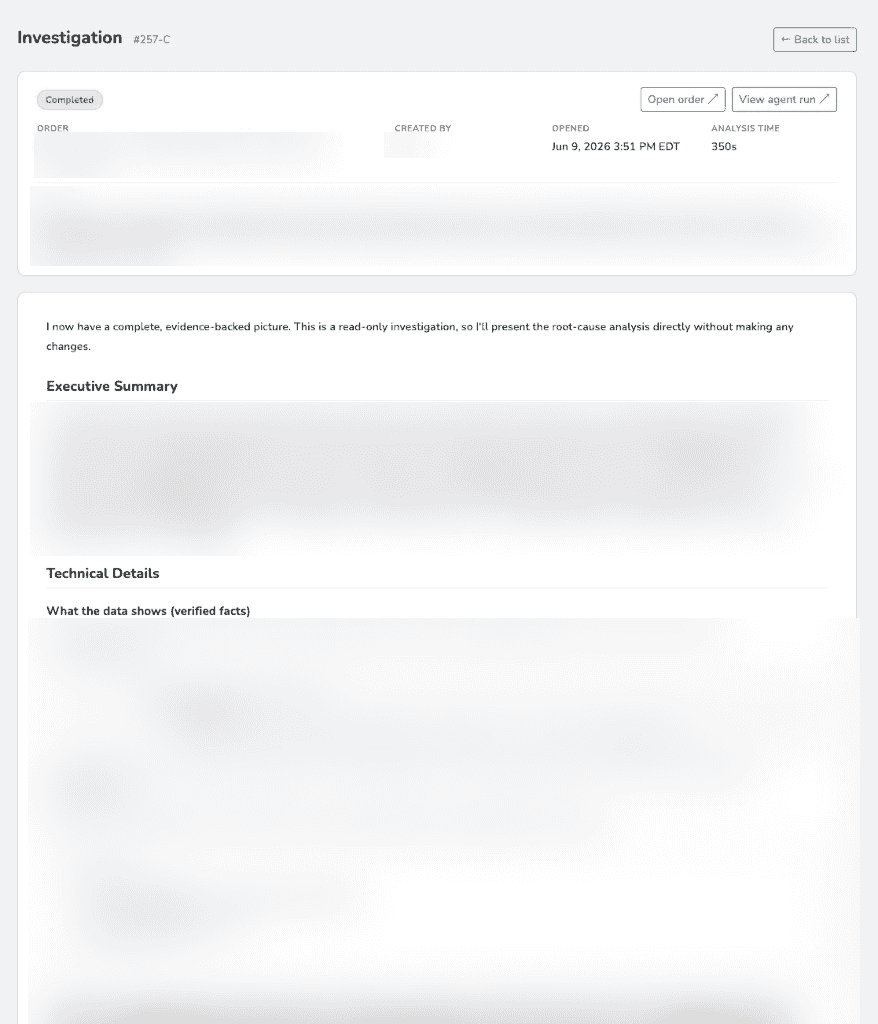
*The rendered analysis follows the fixed structure: a plain-language executive summary, then technical details with citations. (Customer and domain specifics blurred.)*
Rendering the result
The agent returns markdown. The detail page renders it with marked, runs highlight.js over code blocks, and converts mermaid fenced blocks into actual diagrams with Mermaid. So when the analysis includes a sequence diagram of how an order moved through states, staff see the diagram, not the source.
One small but real touch: all timestamps are localized to one timezone (Eastern, for us). Audit StartDate values are UTC, and an LLM doing timezone math is a bug waiting to happen, so we convert them to the business timezone before handing them over and instruct the agent to present everything in that zone. The same helper formats every time in the UI - the run log, the “opened” timestamp, the grid - so there’s never a mix of zones on screen.
public static DateTimeOffset ToEasternOffset(DateTime utc)
{
    var asUtc = utc.Kind == DateTimeKind.Unspecified
        ? DateTime.SpecifyKind(utc, DateTimeKind.Utc)
        : utc.ToUniversalTime();
    var offset = Zone.GetUtcOffset(asUtc);
    return new DateTimeOffset(asUtc, TimeSpan.Zero).ToOffset(offset);
}
Follow-up questions
The first analysis rarely ends the conversation. “Okay, but why did the cancel fail?” So we let staff ask follow-ups against the same agent run, which preserves the agent’s context - it already has the order, the audit log, and the code loaded, so a follow-up is cheap and coherent:
var request = new CreateRunRequest
{
    Prompt = new CreateAgentPrompt { Text = BuildFollowupPrompt(question) },
    Mode = "plan",  // follow-ups stay read-only too
};
await client.PostAsync($"/v1/agents/{agentId}/runs", content, ct);
Each follow-up is its own Hangfire job with its own poll loop, and the answers are stored on the investigation and rendered as a thread under the original analysis.
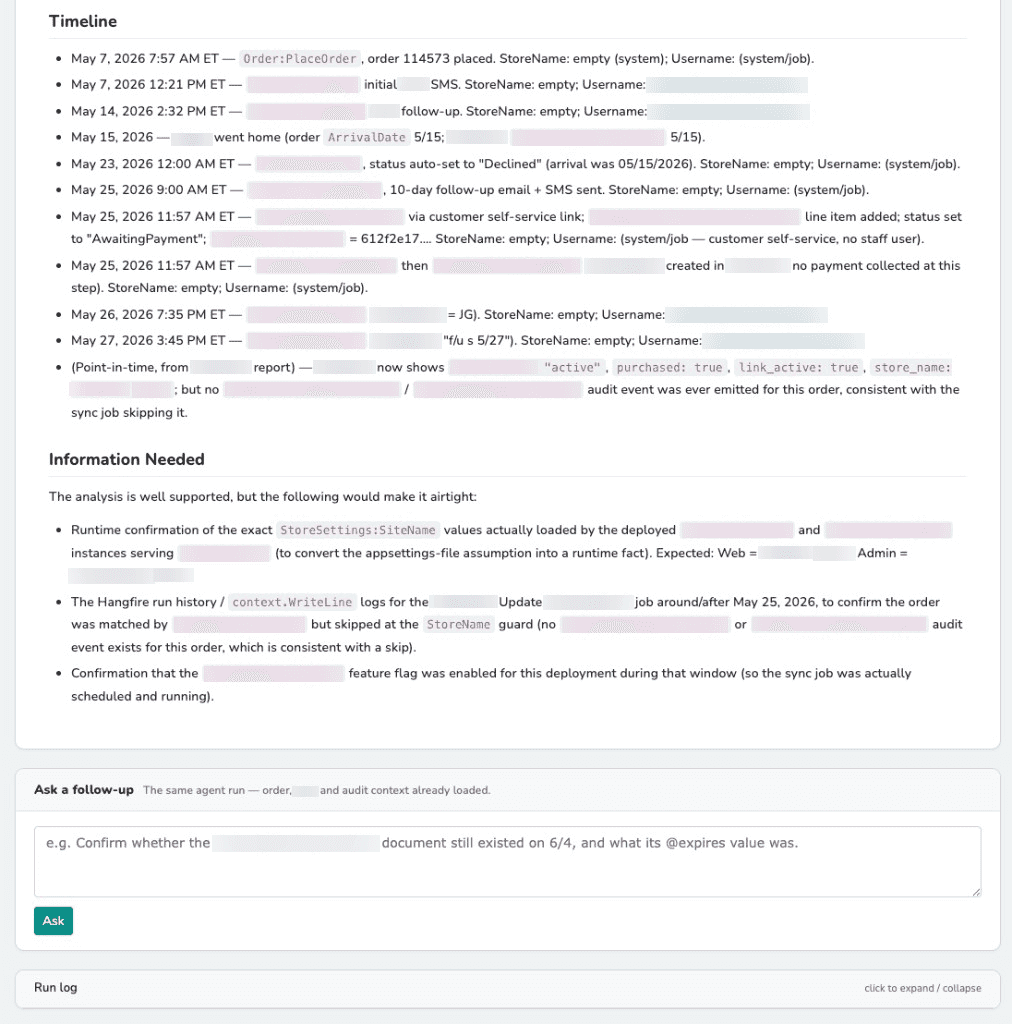
*Further down: a chronological timeline (each entry citing the audit event, store, and user), an explicit "Information Needed" section for what the agent couldn't verify, and a box to ask follow-ups against the same run. (Emails and internal/brand identifiers blurred.)*
Two enhancements worth stealing
Bulk pattern analysis. Sometimes ten orders hit the same problem the same day, and the pattern across them is the real story. So an investigation can target multiple orders at once. The context becomes an array of orders, and the prompt changes: instead of “find the root cause,” it’s “find the shared root cause, and explicitly call out any order that doesn’t fit the pattern.” That last clause matters - without it the model forces every case into one tidy explanation.
Pulling in external state on demand. The audit trail captures what our system did, but some issues hinge on a third-party provider’s state. When the description suggests the problem involves an integration we don’t own, we detect the topic from the text and, best-effort, pull the customer’s live record from that provider’s API into the context - clearly labeled as a point-in-time external snapshot, not part of the audit log. “Best-effort” is doing work there: if the external API is down, the lookup logs a warning and the investigation proceeds without it rather than failing.
private static bool ShouldIncludeProviderState(string issueDescription)
{
    if (string.IsNullOrWhiteSpace(issueDescription)) return false;
    var text = issueDescription.ToLowerInvariant();
    return ProviderTopicKeywords.Any(text.Contains);
}
What I’d tell you before you build your own
A few lessons that generalize:
- Your audit trail is the product. The agent is impressive, but the quality of every analysis is bounded by the quality of your events. Invest in stable, namespaced event types; record who and when; store compact diffs of what changed; and capture the request/response of external calls. If you do nothing else, get this right.
- Be deterministic wherever you can. Lookups, redaction, filtering, timezone conversion - none of that should touch the LLM. Reserve the model for the one thing only it can do: reasoning over the assembled evidence.
- Read-only is a design constraint, not a setting. Pin the mode, kill auto-PR, kill branch pushes, keep every connected tool read-only, keep the key in a vault, and redact before the data leaves your process. Then write it all down in comments so the next person doesn’t “optimize” a guardrail away.
- The prompt is where trust is won or lost. A fixed structure plus an explicit “verify-don’t-assume” rule plus a sanctioned place to put uncertainty is the difference between a toy and a tool.
- Make the async path observable. Persist a run log on the entity itself. When you’re staring at a “Failed” status at 9pm, you’ll want the play-by-play, not a stack trace.
The whole thing took a few focused days to build on top of an audit trail that already existed. If you have structured audit data and access to a code-aware agent, you’re most of the way there - the rest is plumbing, guardrails, and a really good prompt.


Subscribe To My Newsletter
Quick Links
Legal Stuff